


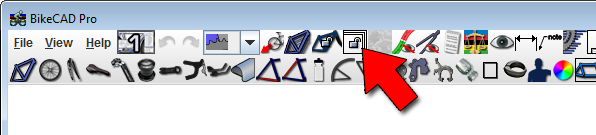
By default, when the bike is made bigger or smaller, the scale of the view changes so that the bike occupies the full window. Because of this behaviour, it is sometimes difficult to objectively compare the sizes of two different bikes. If you check the Lock scale icon shown above, the scale will remain constant, so you can better compare changes to frame geometry.
The lock scale feature is demonstrated in the following video: